Library pickup completed
I arrived at 5:15 PM. Avery and I left at 5:22 PM with the library books.
Original photo attachedEVIDENCE LOCKER / FOR ATTORNEYS
Help clients turn scattered notes and original files into a timeline you can review, question and work with.
For family matters, documented incidents, harassment and other personal records. Your client chooses what to share. You get a dedicated browser workspace.
Client sharing requires the attorney-sharing Android update. Registration includes email confirmation and account review.
CLIENT RECORD · FICTIONAL EXAMPLE
I arrived at 5:15 PM. Avery and I left at 5:22 PM with the library books.
Original photo attachedI saved the message confirming Saturday’s pickup time.
Edit history availableI recorded the reading plan and the next meeting date.
Illustrative layout. All names and records are fictional.
FROM INTAKE TO REVIEW
Dated notes, attachments and optional location details stay connected to the event. The journal can be used independently of the other party.
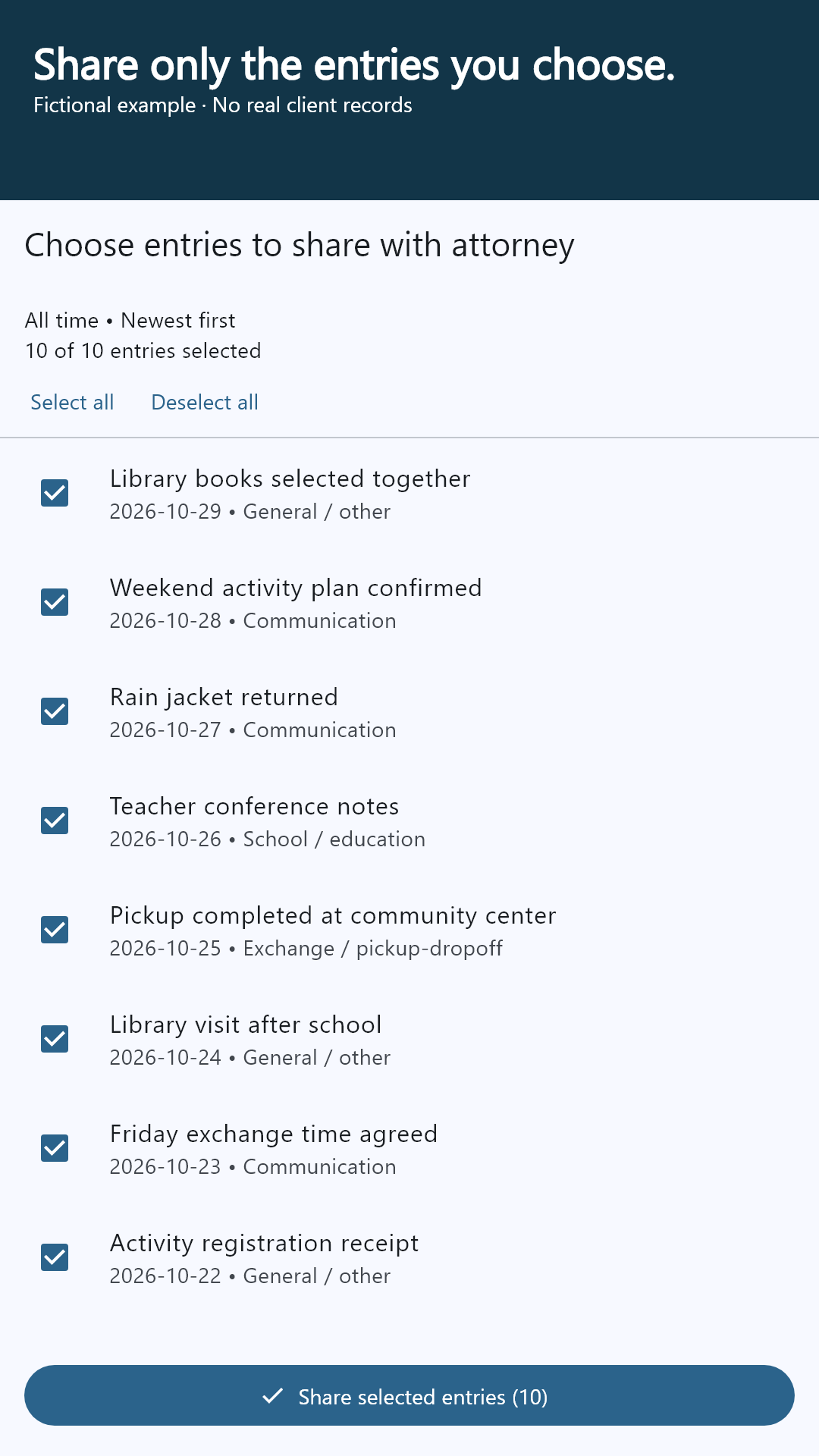
The client confirms your attorney connection and selects entries. Ongoing sharing is a separate, optional setting—not a condition of using the app.
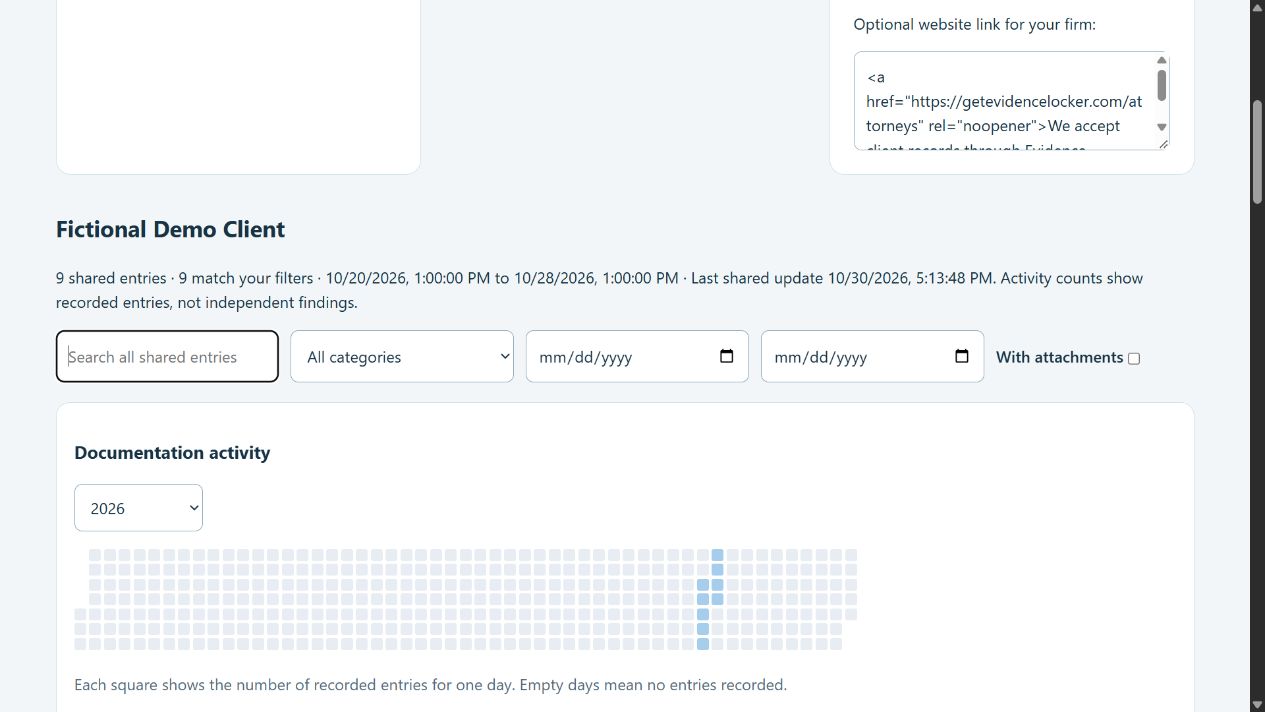
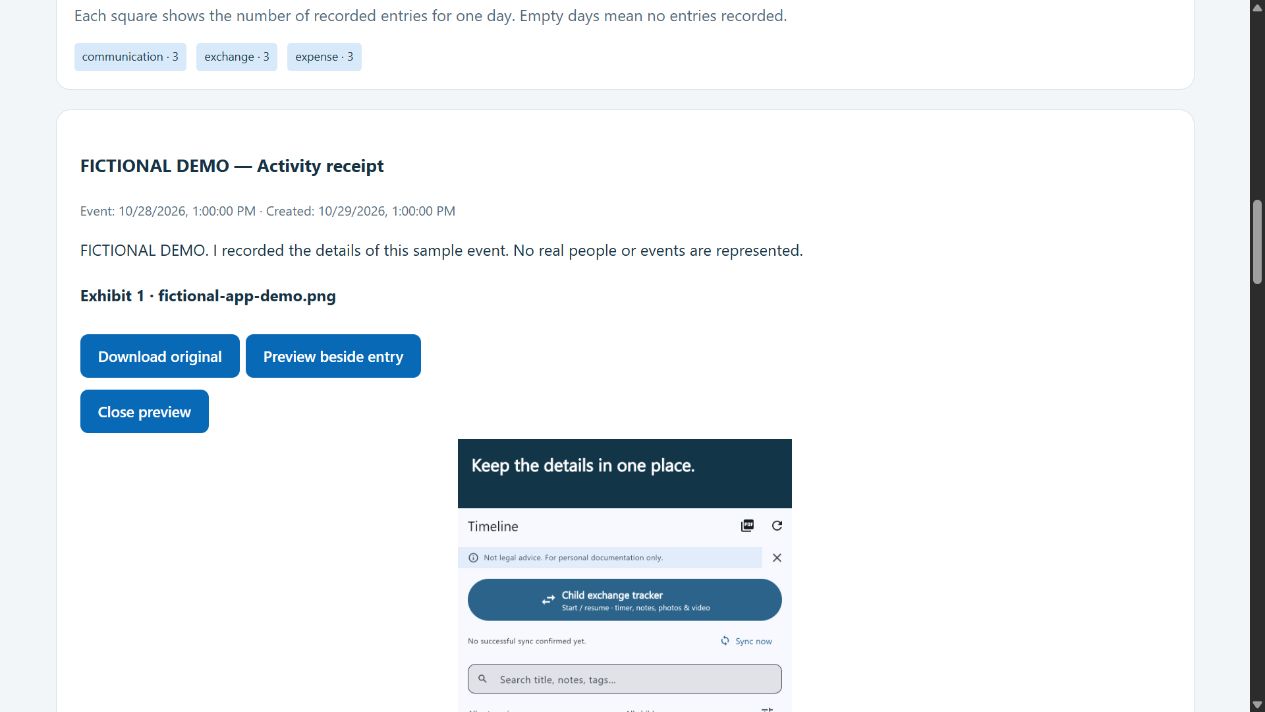
Search the shared record, filter dates and categories, open original evidence, and leave comments or suggested changes. The client accepts or dismisses edits.
SEE THE PRODUCT
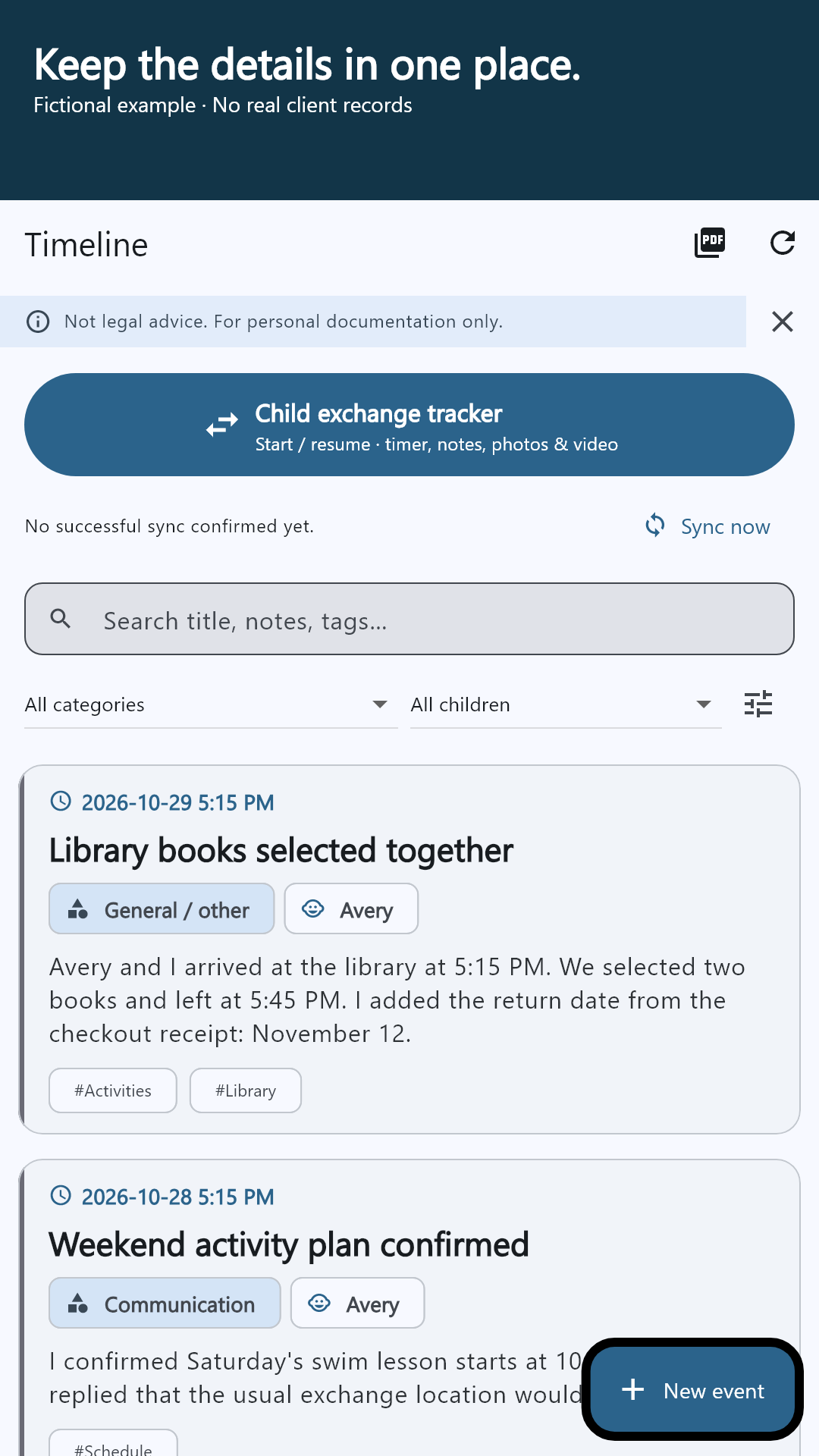
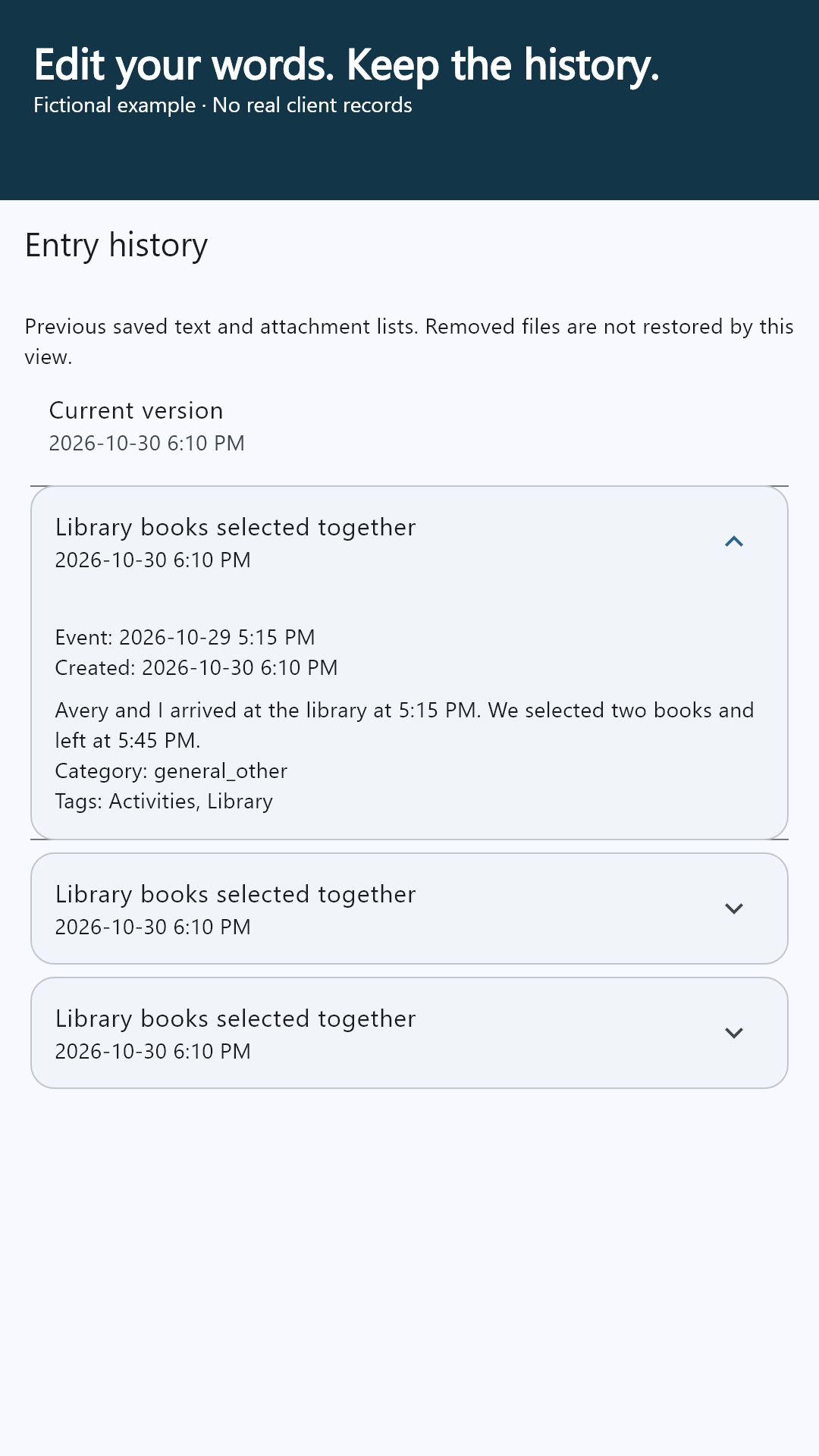
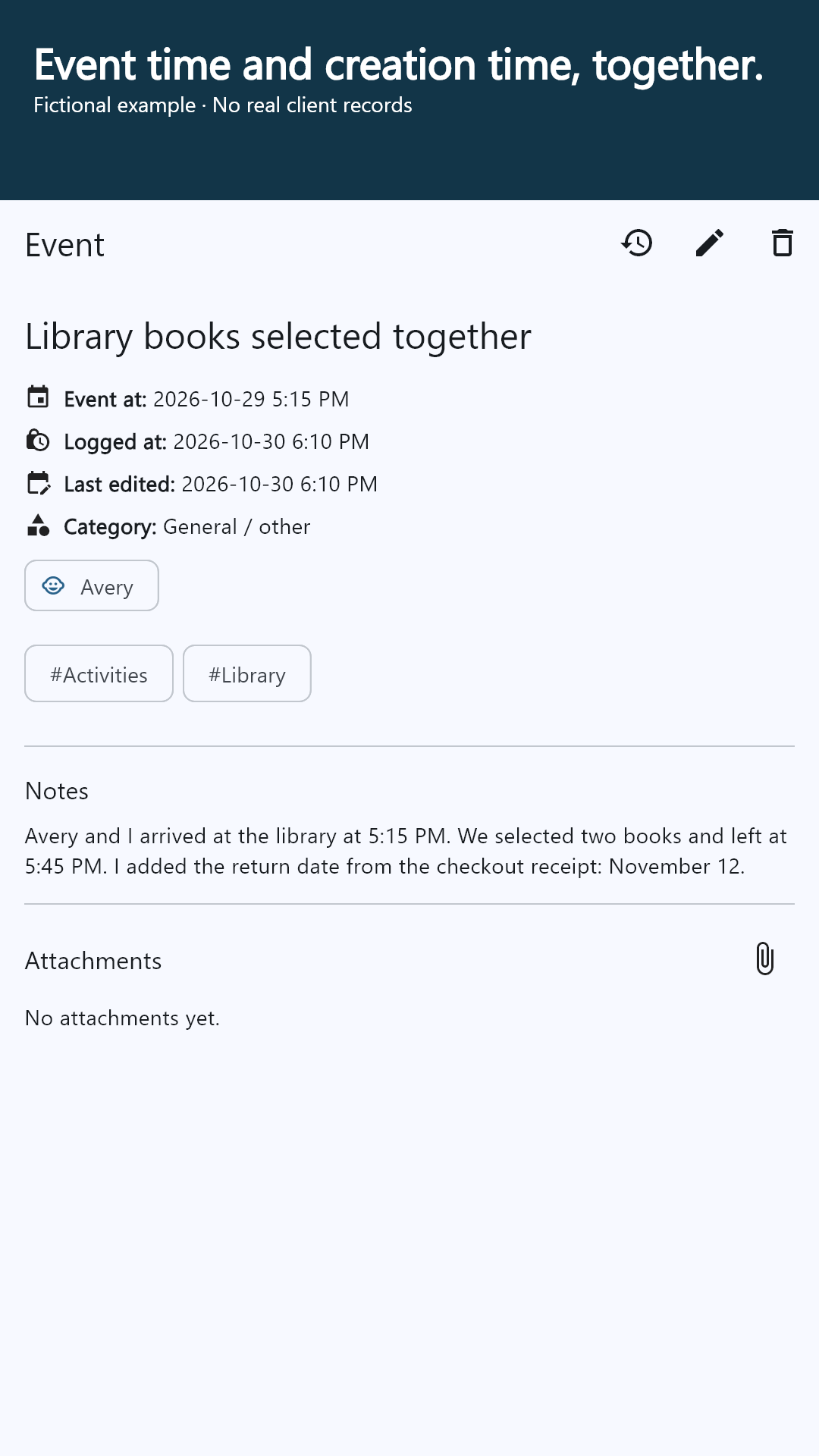
Actual app screens with fictional example records. Tap a screenshot to inspect it at full size.
LESS ADMINISTRATION. MORE CONTEXT.
Start with documentation activity and dates, then follow the detail. Evidence stays beside the entry it belongs to.
Whole-case search, date and category filters, and a calendar activity view help narrow a long record.
Review retained edit history alongside event, creation and modification dates. Changes are part of the record.
Preview supported photos, video and PDFs. Download originals separately; larger files can stream to disk in supported desktop browsers.
Comment or suggest wording and dates without directly altering a client’s journal. Accepted suggestions preserve the earlier version.
INSIDE THE ATTORNEY WORKSPACE
A RECORD YOU CAN TAKE WITH YOU
Generate a PDF from the shared record in your browser. Keep the report, original evidence files and companion checksum together for your own review process.
A checksum helps identify a file and detect subsequent changes. It does not prove an event happened, independently certify a timestamp, or guarantee admissibility.
Open your workspace →Jordan Ellis · Selected shared records
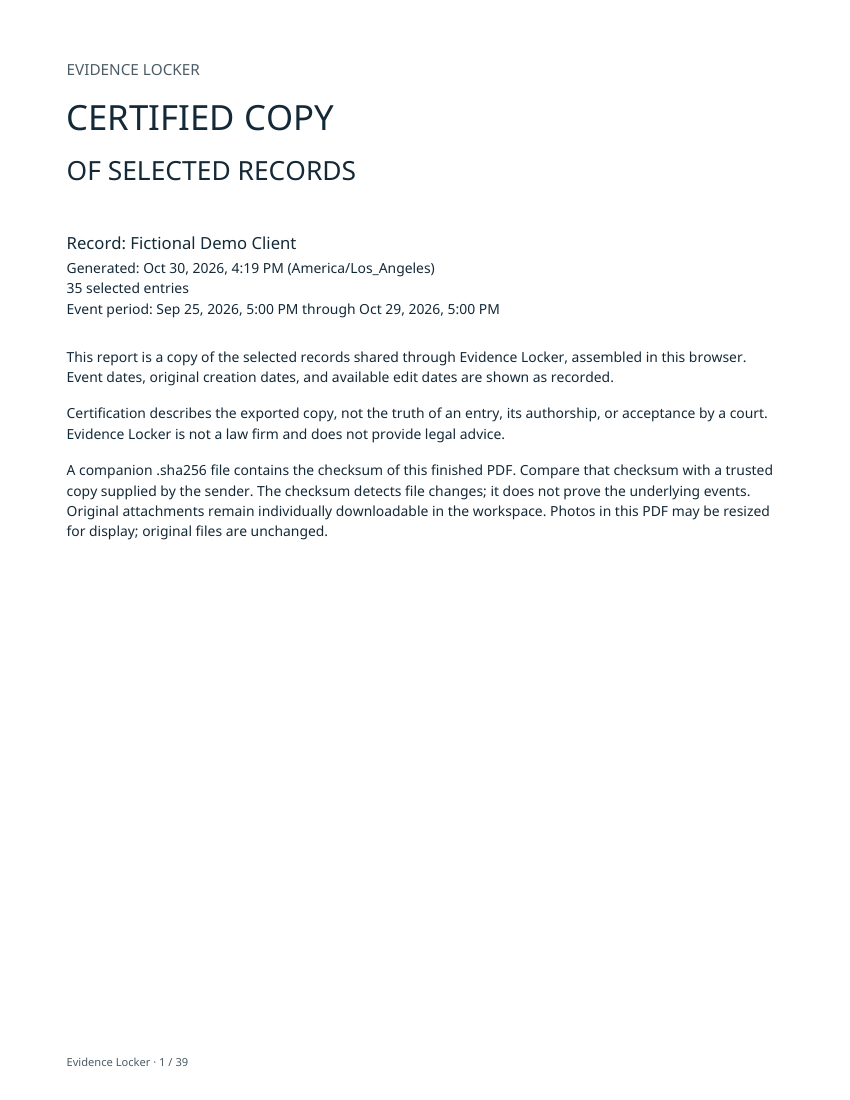
Keep original attachments separately. This is a user-maintained record, not a court filing or a legal opinion.
FIRM-SPONSORED ACCESS
Annual seats, priced by the size of your order. Every seat in that order receives the same tier price.
1–5 seats
$109per client / year
6–15 seats
$99per client / year
16–25 seats
$89per client / year
26–35 seats
$79per client / year
36–1,000 seats
$69per client / year
USD. Checkout confirms the total and any applicable tax. Individual access is $14.99/month or $129.99/year; local Google Play pricing may vary.
The year begins when the client activates the seat. Unused seats do not expire. Invitation links last 30 days and can be replaced.
Assign a seat to the client’s email. They sign in with that confirmed email, accept the web invitation, then use the same account in the Android app.
You see assignment, activation, expiry and last app check-in. Buying access never shares their journal. Existing paid subscriptions require separate cancellation.
CLEAR BOUNDARIES, EXPLAINED
Attorney shares are encrypted before upload for the attorney’s sharing key and decrypted in the browser. Ordinary cloud sync is a separate, server-readable system. Connection identities, sizes and activity times remain visible to operate the service.
Disconnecting stops new uploads. It cannot recall earlier shares or files already downloaded. The service supplies browser software, so encryption is not a guarantee against a compromised service or device.
Keep exports, originals and encrypted key recovery files. Your password and recovery materials matter: an ordinary account password reset alone cannot recover encrypted shares.
Your attorney account is separate from a client account. Approval and email confirmation are required.
We review each application. A bar number is optional and self-reported; approval is not a certification of professional status.
Only records explicitly shared by your clients appear here. Entries are their records, not independent findings. This tool does not provide legal advice or guarantee court acceptance.
No. It is the client’s own journal. It does not invite the other parent or replace a communication platform required by a court.
It identifies the selected records and dates included in an export. It does not establish that events occurred as described or that entries were never edited. The companion SHA-256 checksum identifies the finished file. Evidence Locker does not guarantee court acceptance.
Ordinary cloud backups are server-readable. The separate attorney-sharing channel encrypts shared content for the attorney’s browser key. Routing identities, sizes and activity times remain visible to operate the service. Those protections do not make records immune from lawful disclosure or compromise.
The client reviews and accepts or dismisses suggestions. An accepted suggestion preserves the previous version and records its context in history. Attorneys cannot directly change the client’s journal.
Keep exported PDFs, their companion checksums, downloaded original files and encrypted key backups. Exported files can be opened independently of this service; ongoing sharing and account access require the service.