01 · WRITE IT DOWN
Capture the moment.
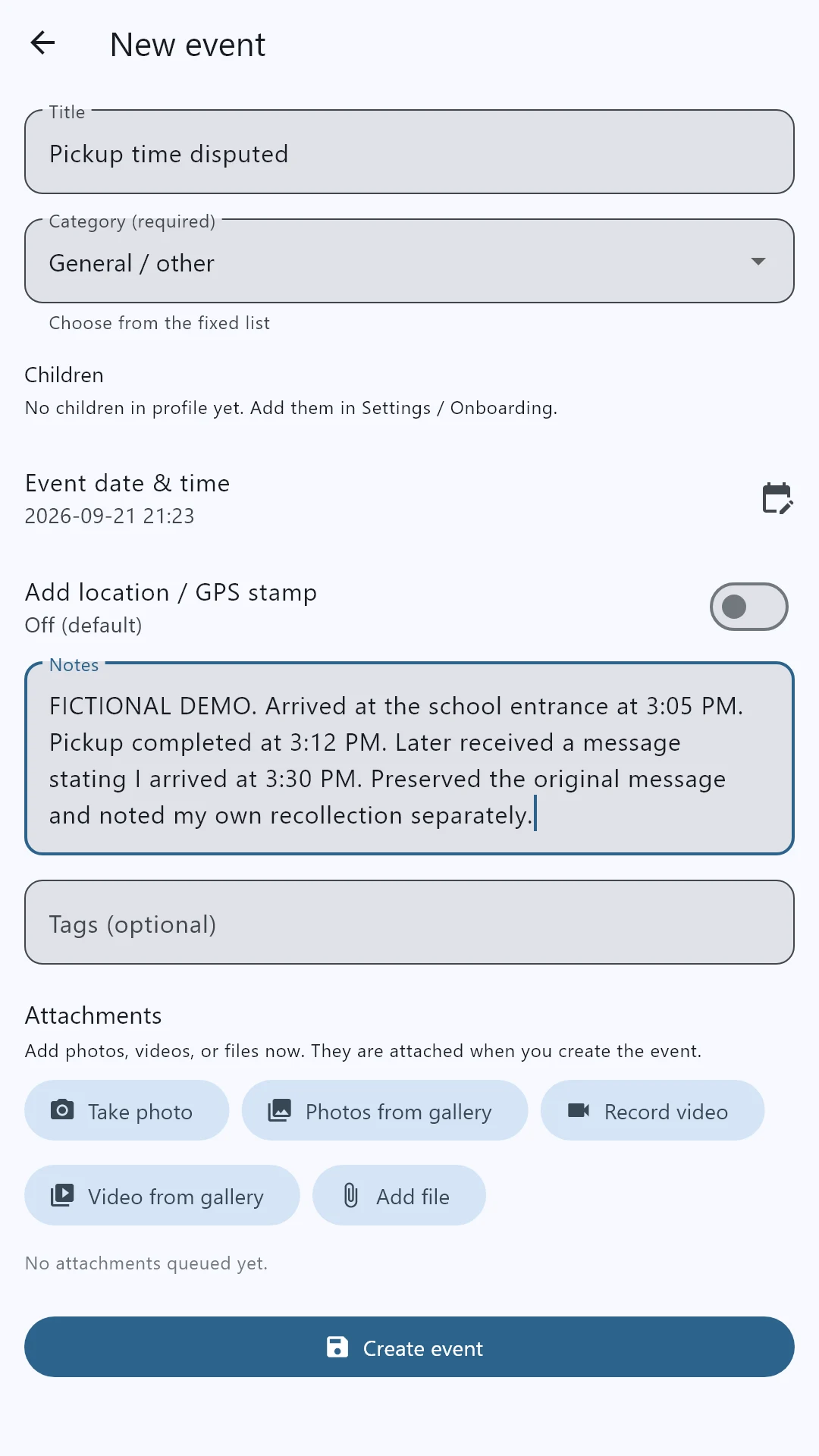
Add a title, the event date and your notes. Describe what you observed and keep a disputed statement separate from your own recollection.
 Evidence Locker
YOUR CHILDREN. YOUR INVOLVEMENT. YOUR RECORD.
The school pickups. The appointments. The everyday care. When your involvement as a parent is questioned, those details matter. Evidence Locker helps you bring them together in a clear, dated record—so your account is supported by more than memory.
Android app · Optional PIN and biometric lock · Printable PDF reports
SEE THE APP BEFORE YOU INSTALL
Write what happened, keep the context, and find it later in your timeline.
School pickups, appointment updates, an exchange that did not happen: these real app screens show the kinds of entries you can keep. All examples shown here are fictional.
Add a title, the event date and your notes. Describe what you observed and keep a disputed statement separate from your own recollection.
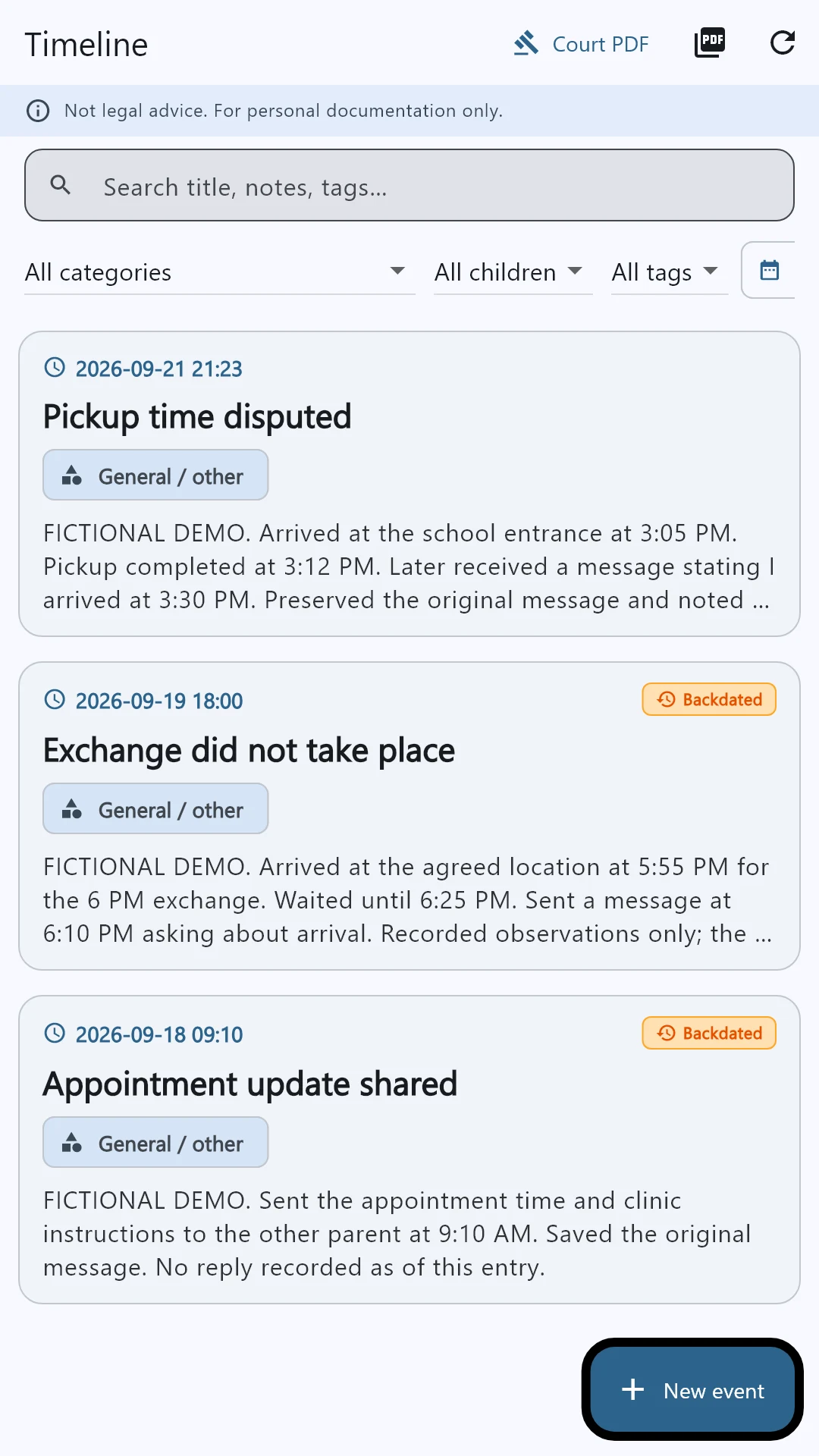
Your saved entries form a dated timeline. Use categories, search and filters to find the records you need without digging through unrelated conversations.
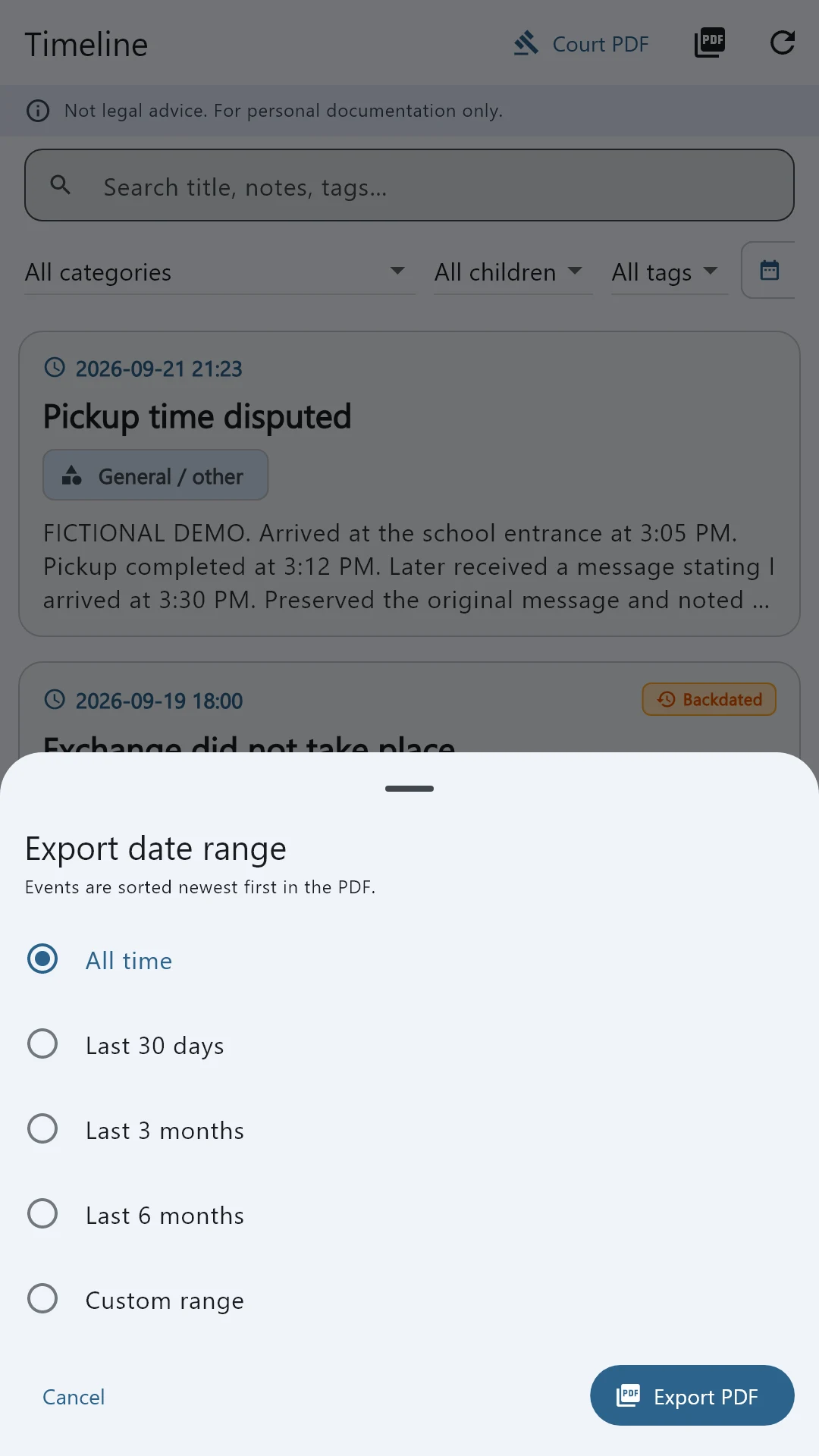
Choose Court PDF, select the date range and export options, then preview the report. Save or share the finished PDF when you are ready.
Actual app interfaces populated with fictional sample data. Tap any screen to enlarge it. Appearance may vary by device and app version.
ADD CONTEXT WITH AN OPTIONAL LOCATION STAMP
Turn on “Add location / GPS stamp” when location is relevant to your entry.
With your phone's location permission, the app can save coordinates, the reported accuracy and the capture time. Available location details and a map can accompany an entry in your PDF when GPS is included.
GPS depends on device accuracy and permissions; map imagery needs connectivity or a cached map. A location stamp adds context, not independent proof of an event. This sample uses illustrative coordinates at a public landmark.
Open the sample report →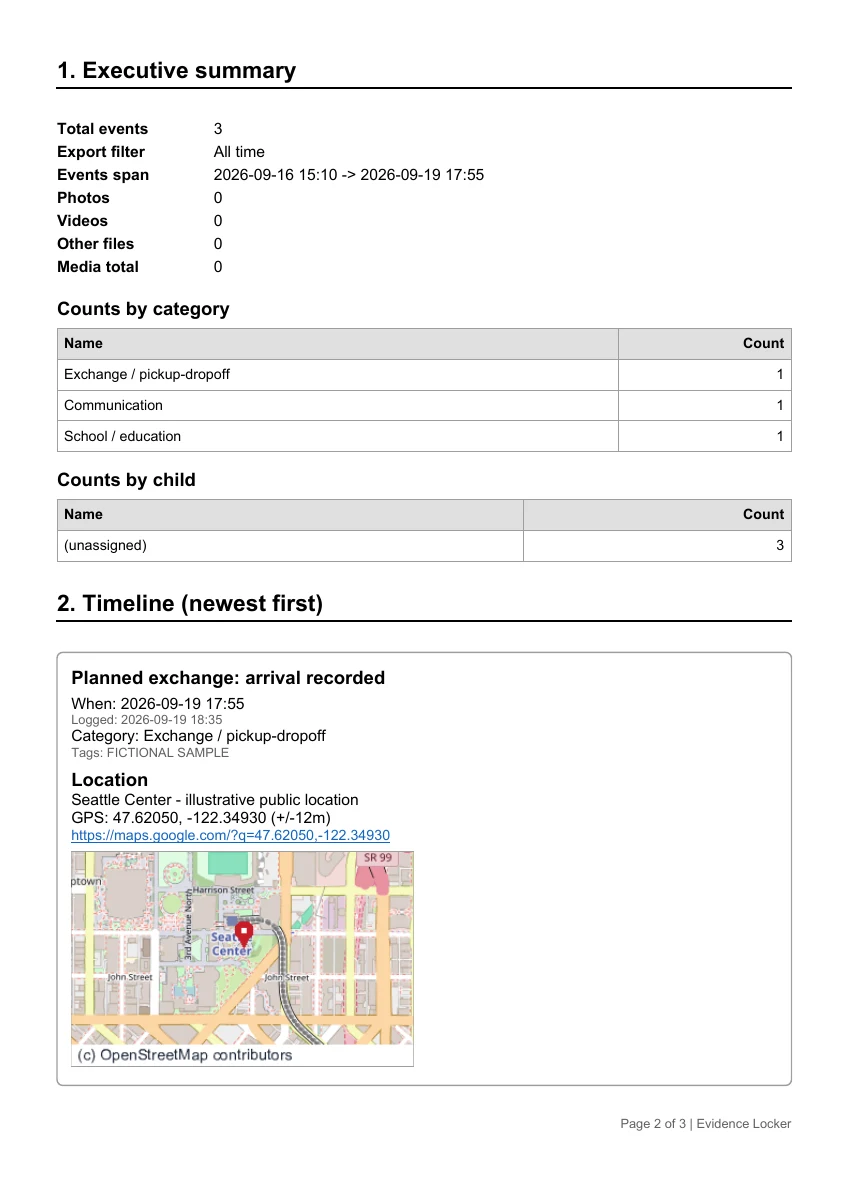
MAKE THE PATTERN VISIBLE
A single moment rarely tells the whole story of a parent's involvement. A consistent record can help show the care, responsibility, and effort that continue over time.
Document parenting time, school involvement, medical appointments, activities, communication, and financial support. Connect each entry to the photos, messages, receipts, or documents that give it context. Over time, everyday details become an organized history you can explain and support.
Save dated entries, notes, photos, and supporting files together. Capture what happened, when it happened, and how you were involved, without relying on recollection months later.
False allegations and incomplete accounts can be difficult to answer from memory alone. An organized timeline can help you identify relevant records, explain inconsistencies, and give your attorney the context needed to assess a response.
Bring separate moments into one history. Help an attorney or judge understand the parenting activities you have documented and the records that support your account.
WHEN SAFETY AND YOUR FAMILY ARE AT STAKE
If you are experiencing abuse or responding to an allegation you believe is false, a clear record can help you explain what happened and discuss your next steps with an advocate or attorney.
Threats, harassment, controlling behavior and physical harm can be difficult to describe from memory alone. Record dates, what you personally observed, and relevant witnesses. Preserve original messages, photos and other supporting records so an advocate or attorney can review specific incidents and patterns with you.
You do not need a complete evidence file to seek help. Your safety comes before collecting documentation.
When an accusation is false or an account leaves out important context, dated records can help you identify discrepancies and prepare a factual response. Keep relevant communications, appointment details and parenting-time records together, including context that may complicate your own account.
Evidence Locker helps organize your records; it does not decide who is telling the truth or turn an entry into independently verified proof.
Bring your notes and supporting material into a readable PDF timeline. Preview it, print it, or share it privately with your attorney or advocate to discuss possible protective or legal steps and the requirements for presenting your records.
Accurate documentation can support that conversation. No app can guarantee protection, court acceptance or a particular outcome.
If someone may monitor your phone or accounts, consider using a safer device and speak with an advocate about safe documentation. Do not put yourself at risk to gather evidence. See the National Domestic Violence Hotline’s guidance on documenting abuse.
See how PDF timelines helpFROM DAILY ENTRIES TO A CLEAR PDF
Give your attorney a readable starting point. Prepare a clear picture for the court.
Export an easy-to-understand PDF that brings your documented events into a timeline. Preview it inside the app, choose the date range, and include available GPS details, map images, and supporting photos.
Print a copy for a meeting or share it with your attorney. Use the report to help prepare materials for a judge, following your court's filing, service, and evidence requirements.
Less time sorting through scattered records. More clarity about the involvement you are trying to explain.
Build your parenting record ↓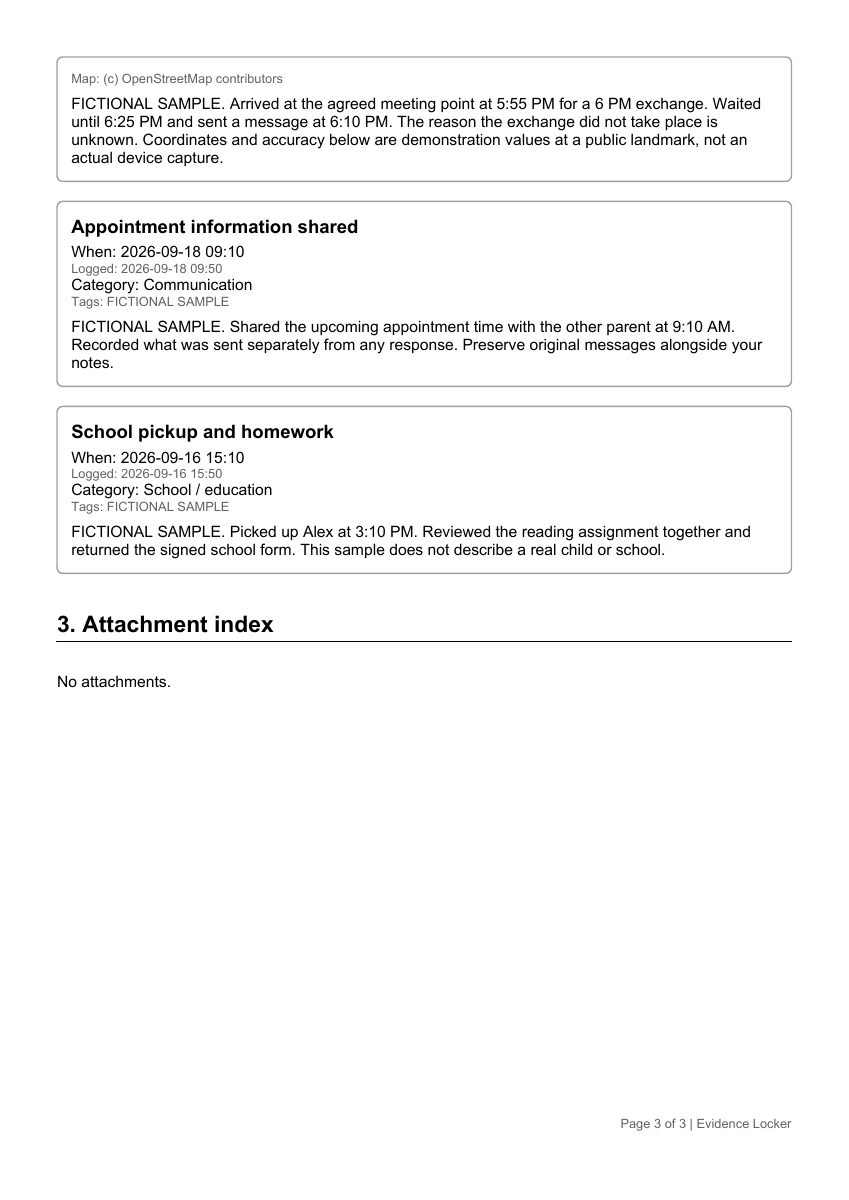
Opens directly in your browser. No account needed.
PROTECT SENSITIVE FAMILY RECORDS
Use an optional PIN and supported fingerprint or face unlock. The app locks when it moves into the background.
Preview your PDF before sharing it. Keep a complete local backup, or try cloud backup during the limited internet pilot.
The hosted service uses encrypted backup storage and separates customer accounts. The release app requires HTTPS for cloud connections.
Read our Terms & Privacy for cloud data access, security, retention and support details before creating an account.
START BUILDING A CLEARER RECORD
App use and cloud features begin with a 30-day free trial. No credit card is required at signup. Annual subscriptions renew yearly unless canceled; existing backups remain available to download after access expires.
$79.99 / year
USD · after the trial
ANDROID BETA TESTERS WANTED
Try the app, tell us what works, and help us find what needs improving.
We are recruiting volunteers for our upcoming Google Play closed beta. Complete the 14-day test by staying enrolled, trying the main features and sharing honest feedback, and we will grant you one year of free Evidence Locker service afterward.
Submitted to Google; beta downloads are awaiting approval. This registers interest, not enrollment. No purchase or positive public review is required. The free year is granted after completion. Please do not email passwords, private family records or case details. We will use your email to coordinate beta access and feedback. Terms & Privacy.
Follow our step-by-step guide to download, install or update without deleting your existing records.
Android installation walkthroughANDROID DOWNLOAD OPTIONS
We are preparing Evidence Locker for Google Play. The store listing is not available yet. You can install the current Android app directly from this website today.
Get the Android appAlready using Evidence Locker? Install updates over your existing app to keep your entries.